Unity Easy Pooling
A downloadable Unity Package
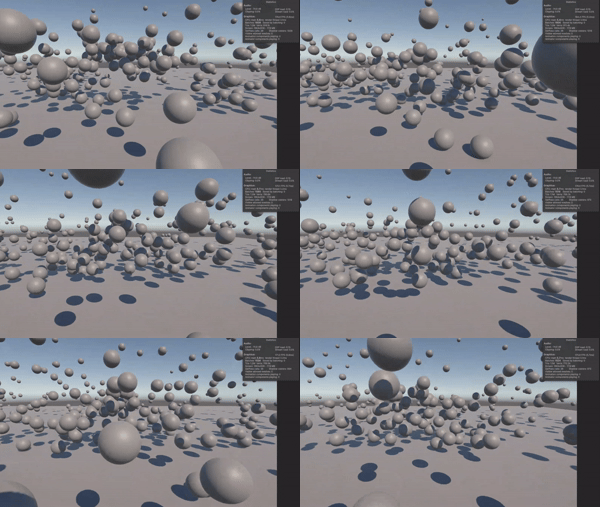
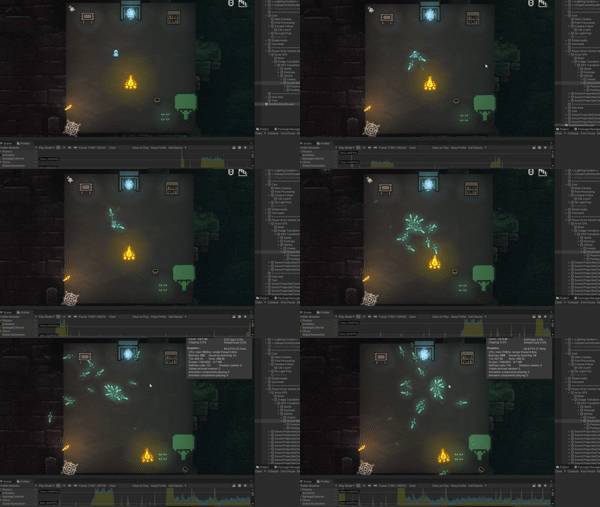
A lightweight GameObject pooling system for Unity with automatic pool creation, configurable pool sizes, and automatic recycling.
Creating and Spawning Objects
Easy Pooling adds three extension methods to all GameObject instances:
PooledInstantiate()— Spawns an object from its pool, automatically creating a pool if one doesn't exist.CreatePool()— Manually creates a pool ahead of time to reduce potential spawning delays during gameplay.SetTargetPoolSize()— Changes the target size of an object's pool.
// Pre-create a pool to avoid runtime setup delays
bulletPrefab.CreatePool();

// Spawn an object from the pool
GameObject bullet = bulletPrefab.PooledInstantiate();

// Change the pool's target size
bulletPrefab.SetTargetPoolSize(50);
Pools are initialized using coroutines to help minimize performance spikes when creating them.
Templates
Easy Pooling uses template objects to identify and manage pools. When you call PooledInstantiate() on a GameObject, that object becomes the template associated with its pool. The system maintains a mapping between each template and its corresponding pool.
Call SetTargetPoolSize() on the template object to change that pool's target size at any time.
Recycling Objects
Calling Unity's standard Destroy() method destroys an object normally and does not return it to the pool.
To recycle pooled objects, use the DestroyOrRecycle() extension method instead:
bullet.DestroyOrRecycle();
- If the object has a
PoolableObjectcomponent, it is returned to its pool for reuse. - If it doesn't have one, it is destroyed normally.
Objects spawned by Easy Pooling automatically receive the PoolableObject component.
Object Lifecycle
Easy Pooling provides the IPoolable interface with two methods:
Initialize()— Called when an object is retrieved from the pool viaPooledInstantiate(). Use this to reset state before the object is used again, such as health, velocity, or timers.Recycle()— An optional method called when an object is returned to the pool. Use this to clean up state or stop ongoing behavior before the object is reused.
Implement IPoolable on your components to manage object state across repeated uses.
public class Bullet : MonoBehaviour, IPoolable
{
    public void Initialize()
    {
        // Reset state when spawned
    }

    public void Recycle()
    {
        // Clean up state when returned to the pool
    }
}
Settings
Open Tools → Easy Pooling → Settings from Unity's top menu to configure the pooling system.
- Show Pools in Hierarchy — Toggle the visibility of pool objects in the Hierarchy.
- Default Pool Size — Set the initial target size for newly created pools.
- Thinning Check Rate — Set how often pools check for excess objects, in seconds.
- Max Thin Count — Set the maximum number of objects removed during each thinning pass.
If a pool needs more objects than its current size, Easy Pooling creates additional instances and retains the larger pool size. Thinning passes periodically remove excess objects to help free memory, deleting up to the configured maximum per pass.
Notes
- Use
CreatePool()to prepare pools before gameplay when avoiding runtime delays is important. - Always use
DestroyOrRecycle()when you want a pooled object to be reused. - Implement
IPoolable.Initialize()to reset object state when spawned andRecycle()to clean up when returned to the pool.
Created by Magic Hat Games.
Purchase
In order to download this Unity Package you must purchase it at or above the minimum price of $2.99 USD. You will get access to the following files:

Leave a comment
Log in with itch.io to leave a comment.